Create a Calendar Text Listing
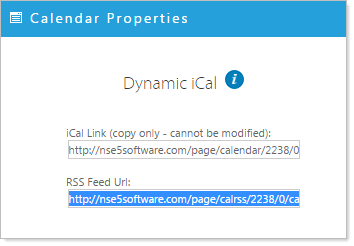
Highlight and Copy the RSS feed from the Calendar instance you would like to source.
Return to the page where you have place the RSS Feed widget
- Click the 'RSS feed properties' icon
 .
.
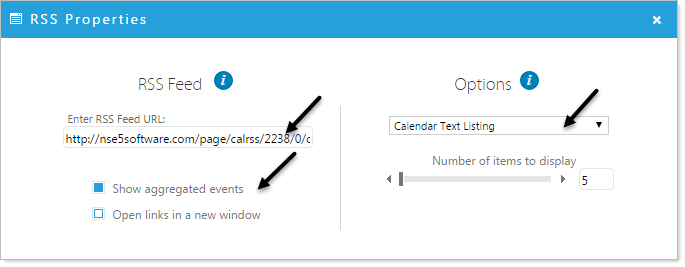
- Paste the link to your feed in the 'Enter RSS Feed URL' form
- Select the Calendar Text Listing option and configure your options, click 'Apply'
NOTE: if you are using an aggregated calendar, which pulls events from multiple RSS feeds, click the 'Show aggregated events' box to display events from all aggregated calendars.
The Calendar RSS feed is now viewable in the Page Editor.