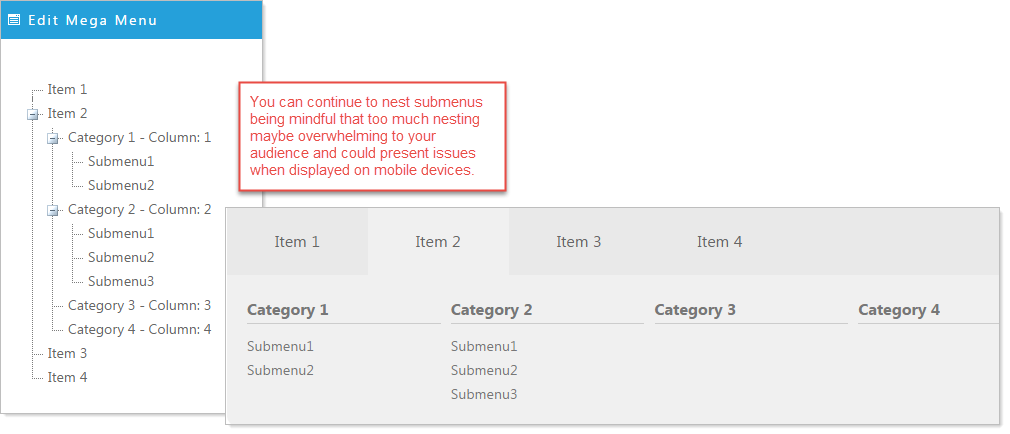
The Mega Menu Editor displays the menu in a structured multi-level arrangement of entry items. This allows you to fold and unfold categories of links making your menu easier to manage.
How the Editor corresponds to the displayed
Mega Menu.
NOTE: Width of the MegaMenu.
The Mega Menu (like other Titanium Modules and Widgets) is designed to fill it's container. Additionally, the drop-down of the Mega Menu will fill the width of the container. The only exception to this is if you select the upper level submenu to be a Single Column.
Mega Menu example build
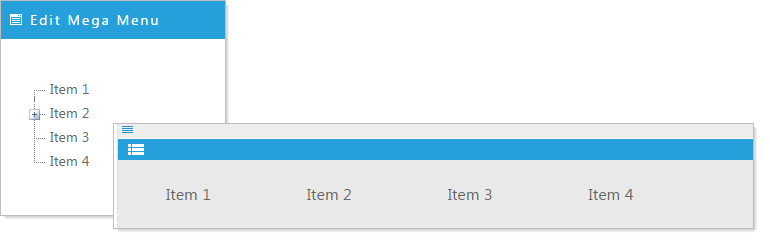
In this illustration there are four initial entries that will display as the main navigation tabs of our menu. The multi-column drop-downs will be sub-menus of each/any of these initial items.
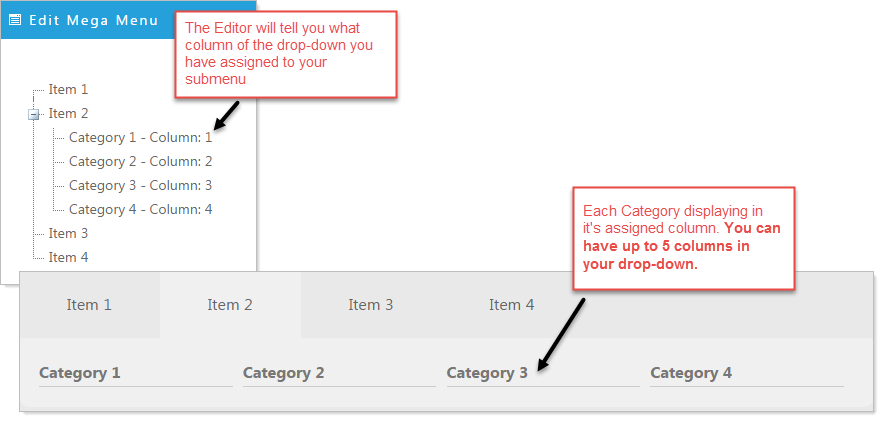
Here we have added 4 Categories to Item 2 of our navigation.
Now we add submenus that belong to specific categories. In this example numbered submenus under Category 1 and Category 2.