Deleting a Record to a Directory
You can edit/change single entries from the Titanium interface in Design mode.
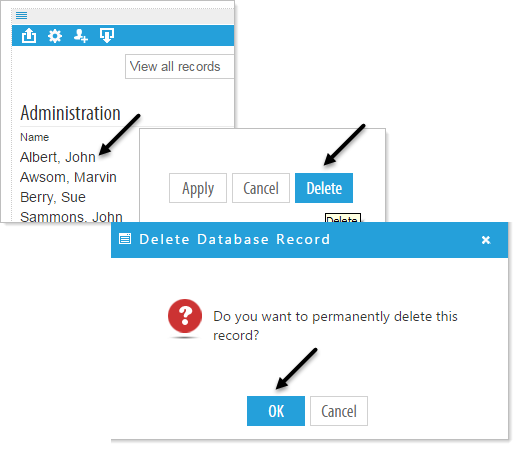
Select the first field of the record you would like to delete and the Edit a Record pop-up window will appear. At the bottom of the window click on Delete, you will then see the Delete Database Record pop-up that specifies , "Do you want to permanently delete this record?" Click OK