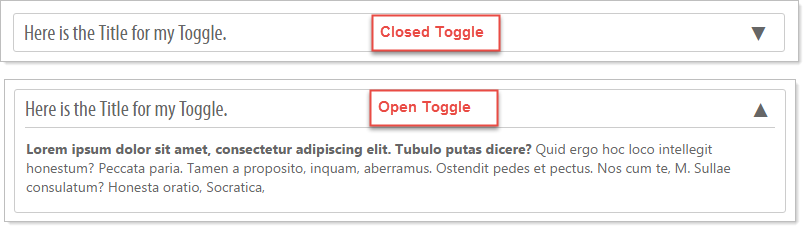
The content Toggle layout is used when you want to toggle between hiding and showing large amounts of content.
Begin by clicking on the Toggle Layout and dragging it to the desired location.
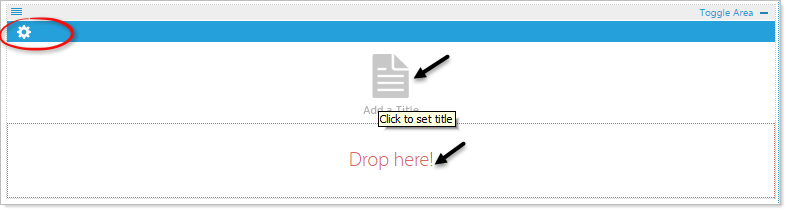
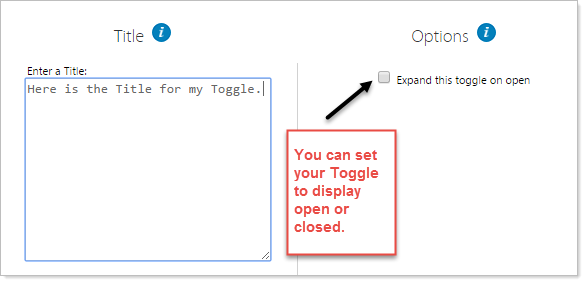
Click on the 'Add a Title' icon to add a title for your Toggle, the Properties pop-up will appear. Enter the Title and select "Expand this toggle on open" if you would like for it to appear open when displaying the webpage.
Example: