Add a Submenu Item
Click on the 'Edit this Menu' icon 
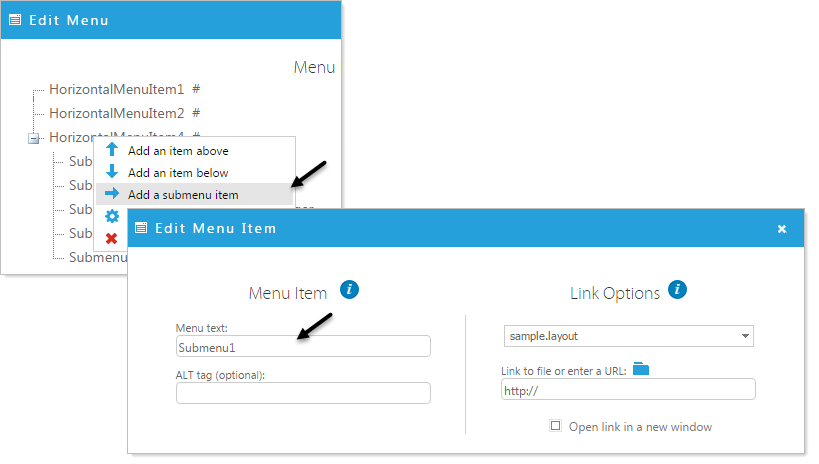
- Right click on a menu to add a submenu under
- Select 'Add a submenu item'.
- Fill in the forms with the desired information.
- Click 'Apply' to apply your changes.
Edit a Submenu Item
Click on the 'Edit this Menu' icon
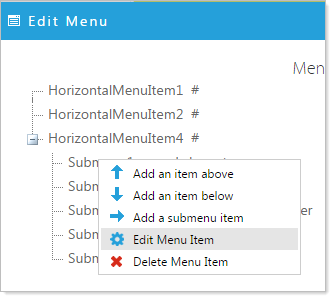
Right click on item you would like to edit and select Edit Menu Item. Complete the Edit Mega Menu Item form and click 'Apply' to save the menu item.
Delete Menu Item
Right click on item you would like to delete. Select Delete Menu Item and OK the delete confirmation.