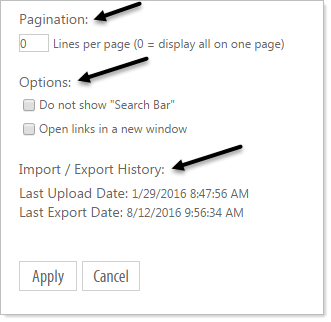
Click on the Properties icon  to access the fields and set options for how the Directory will be displayed.
Setting sort fields for a Directory
You can set sort fields, source, displayed width of the field, number of records to display per page, and a search bar option.
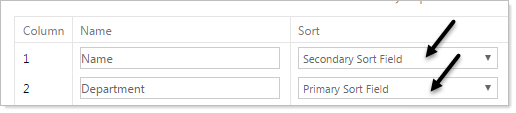
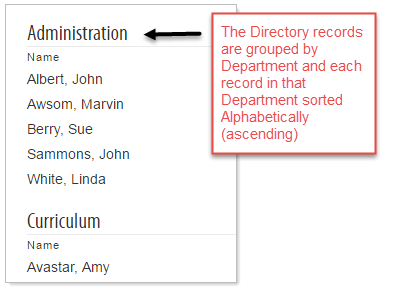
In the following example we set a Primary Sort Field to Department and Secondary Sort Field to Name. Doing so our Directory's initial display is grouped by Department and alphabetically sorted by name within each Department.
Resulting in this Display:
Setting the display width of a field
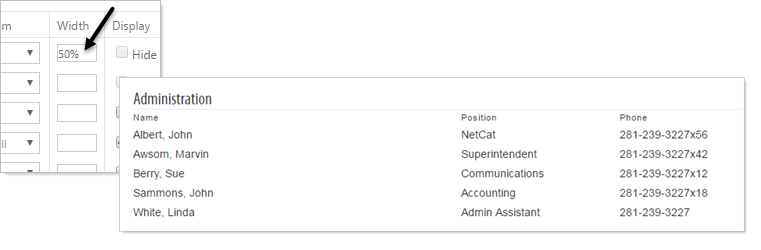
The Directory defaults to an even spacing and width for each field. If you have field(s) that require more or less width than others you can specify the width for one or all fields by putting a percentage in the width field.
Example with no width values:
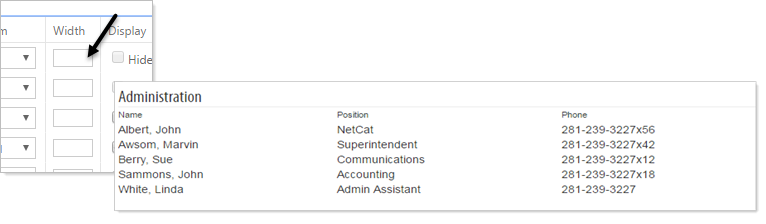
Example setting one field value:
Additional options for Directory display
At the bottom of the Directory Structure there are additional options that include Pagination, Search Bar, and a brief record of the import/export history of the Directory page.