There is one option :RSS Properties
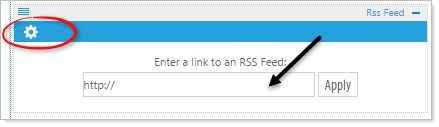
Property Options
RSS feed URL: Enter a fully qualified URL to access a feed. This will include internal feeds (like our Communications module or Calendar ) or external feeds.
Example: http://feeds.feedburner.com/makeuseof
Articles to display: Choose the number of articles to display in your feed.
Characters in the title: Choose the number of characters to display in the title. 200 by default is standard setting.
Characters in description: Choose the number of characters to display in the description. 200 by default is standard setting.
Choose sort descending: Choose the order to display your articles. This is using the date the article was published. This option unchecked will sort ascending, oldest item first.
Thumbnail size: Choose the “width and height” the thumbnails will appear. Default is 50px x 50px.
Turn thumbnails off: Use this option to ignore thumbnail images.
Type of feed display: Standard RSS Listing, Calendar Text Listing, or Calendar Object