There are two options for the Menu Module : Edit this Menu and Menu Properties
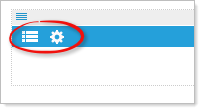
• Edit menu items: by default the first menu item is labeled “Menu”. Right click on a menu item to add a menu item “above” , “below”, “submenu item” , “edit”, or “delete” this menu item. To reorder menu items, right click and drag item to the desired location. Enter “Menu text” and “alt/title” tags. Link item to a webpage or link to a file. Manually enter a URL and choose option to “open the link in a new window/tab”
• Menu Properties: Choose a menu type: Horizontal, Vertical, Panel bar, or Dropdown lists. For the Panel bar type of menu there is an additional option to allow all panels to expand. If this is not selected only one panel bar option will expand at a time. (By default this option is checked). All menu types have “animation settings for “expand delay” and “collapse delay”.