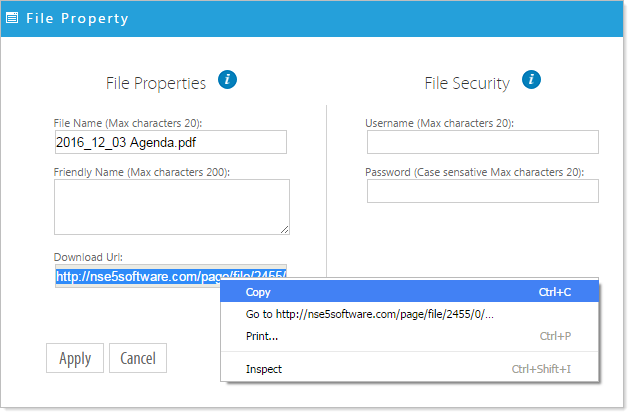
You can provide your audience with a direct link to a file by copying the Permanent Link provided to that file under File Properties.
- Click on the 'Manage Documents' icon
 .
.
- Right click on the file for which you would like the Download URL.
- Click 'File properties'.
- On the left-hand side, under 'Download Url', highlight the URL text by double-clicking and copy.
This URL provides a direct link to the file, otherwise individual files in the Document Manager are not accessible to the public. That is, someone who visits your site cannot copy and forward a link to a particular file (if it is uploaded through the Document Manager) unless you provide them with this Download URL.
The Download URL does not apply to secure files.