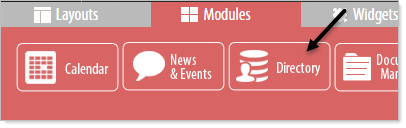
Directory Module makes it easy to manage listings.
Use it to create a simple address book, maintain a staff or member directory, organize certain content such as document, web page archives, or run a link directory. Create a connection with audience by including personal images in your personnel directories.
NOTE: In some circumstances, for example, for organizations utilizing Personnel Management software using Active Directory, a staff directory can be set up through LDAP that will automatically update the staff directory. Setting up the LDAP interface is outside the scope of basic web page building. For more details on setting up an LDAP connection contact your ezTask representative.
To begin using the Directory Module click on the Modules tab at the bottom of the page and then click and drag the Directory Module to the desired location.