Adding an Article
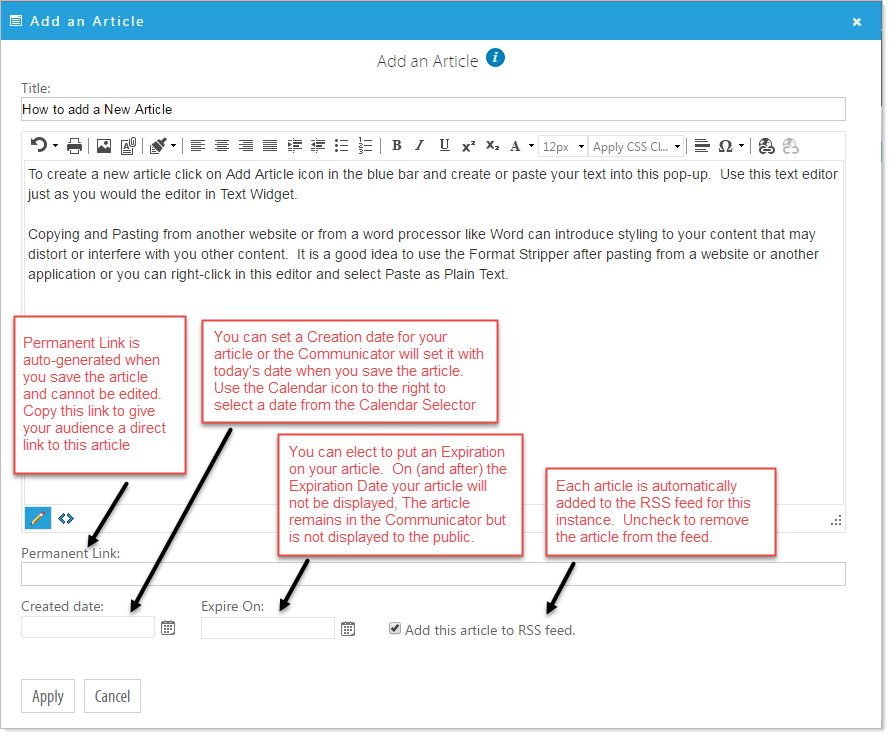
Click on the Add Article icon  in the blue bar or click on 'Add an Article' from the options at the top of the screen. Create your content in the editor. You can add photos, graphics to your article and format text just as you would when using the Text Widget. The Permanent Link is not editable and will be created when you save the article.