Click on the 'Manage Documents' icon  .
.
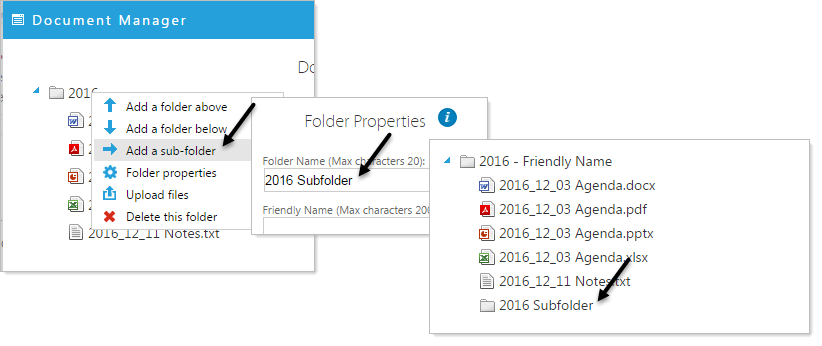
Add a FolderRight click on a folder for options. The first three options allow you to add additional folders by selecting 'Add a folder above', 'Add a folder below', or 'Add a sub-folder'. In this example we add a sub-folder named 2016 Subfolder.
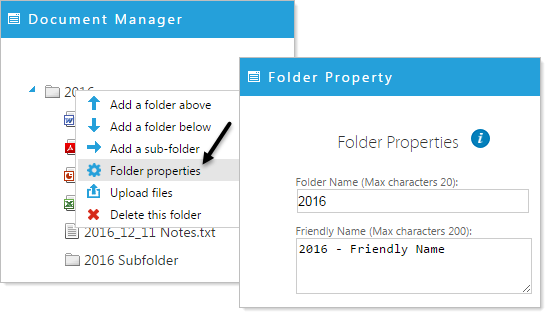
Folder PropertiesRight click on a folder for options and select Folder Properties. Here you can edit/change the name of the folder and optionally, add a Friendly Name.
Folder Friendly Names are not displayed when you are IN the document Manager.
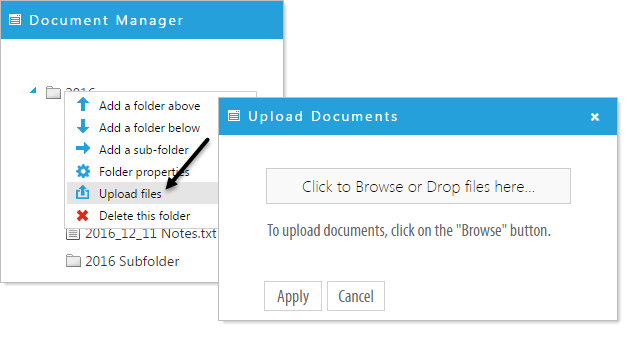
Upload filesSelect Upload files. Browse to upload files or drag files from your computer onto the 'Click to Browse or Drop files here...' button.
Click 'Apply' to upload the files. Your files now reside in the designated folder.
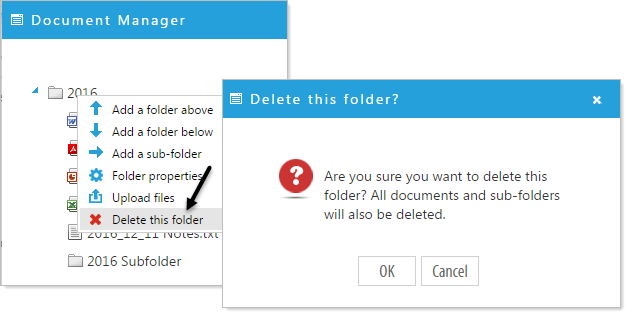
Delete this folder
Select Delete this folder and a pop-up window will ask for confirmation. Click 'Apply' if you are certain you want to delete that folder and it's contents.