Uploading documents
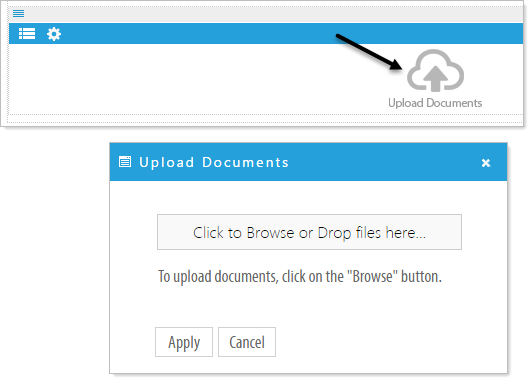
If no documents exist in the document manager, you can click on the 'Upload Documents' icon. Browse or drag file to the 'Click to Browse or Drop file here..' button to upload documents.
Uploading documents to a Folder
Click on the Manage Documents  icon. The Document Manager pop-up will appear with a New folder you can use to organize your documents.
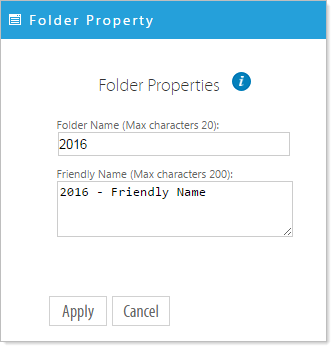
Click on New folder and complete the Folder Properties pop-up to rename the folder and add an optional Friendly Name. In this example the New Folder is renamed 2016.
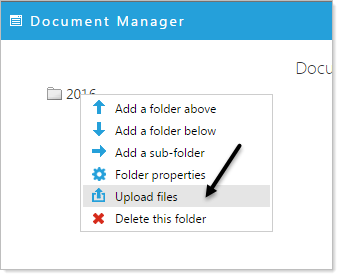
Right click on a the folder in the 'Document Manager' pop-up window, and click on 'Upload Files'.
Browse to upload files or drag files from your computer onto the 'Click to Browse or Drop files here...' button.
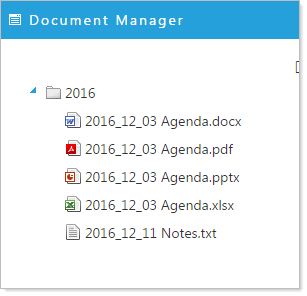
Click 'Apply' to upload the files. Your files now reside in the designated folder.