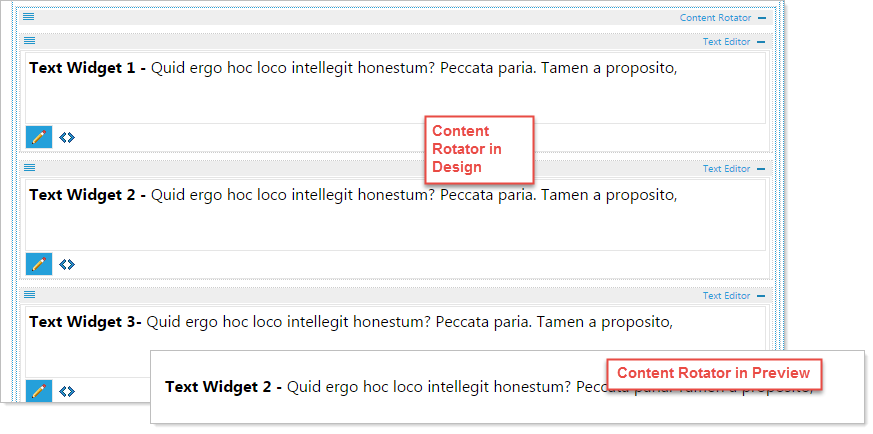
The content Rotator layout is used to randomly rotate any content dropped into the widget. Stack content widgets inside the Rotator Layout to randomly rotate content container.
Begin by clicking on the Content Rotator and dragging it to the desired location.
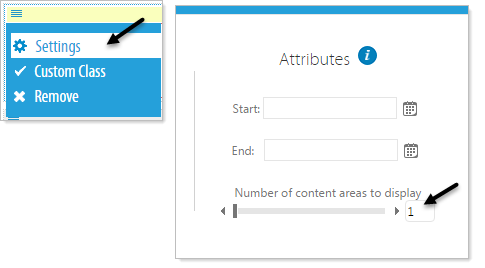
- Click on the top left menu option of the Content Rotator and select Settings.
- Specify the number of areas to view when randomly rotating content in Attributes.
Example: If you have 3 widgets that are rotating, by setting number content areas to display to 1, only 1 widget will show at a time during preview.