Adding an Appointment/Event
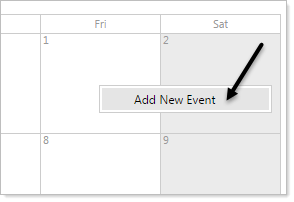
- Click on the date to which you would like to add an Event.
- Click on 'Add New Event' after it appears in the date box. You can change the date in the next Add Event screen if you select the wrong date or have an event well into the future.
The 'Add Event' pop-up will appear. Use this form to add the details of your event.
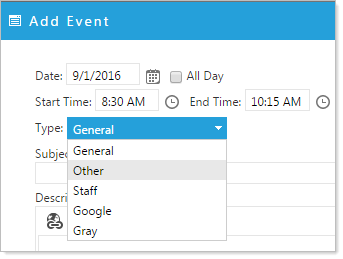
Options available on the Calendar Event form
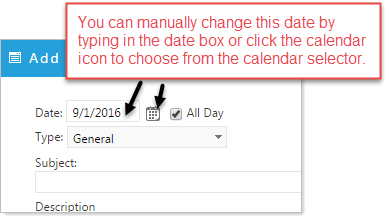
Event Date:
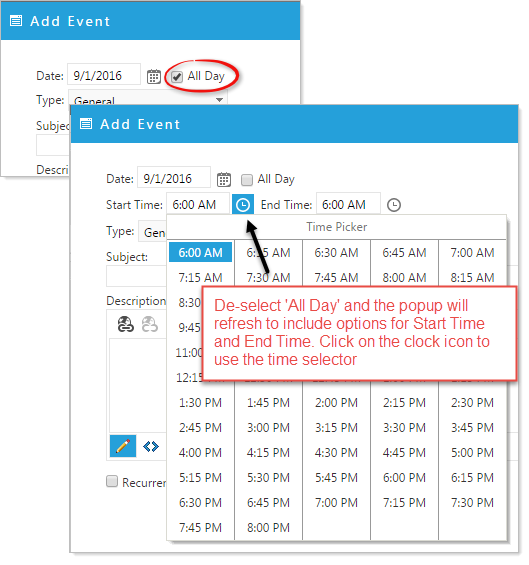
Events Time:
Events Type: (Category)
Select which Category you would like to associate with your event.
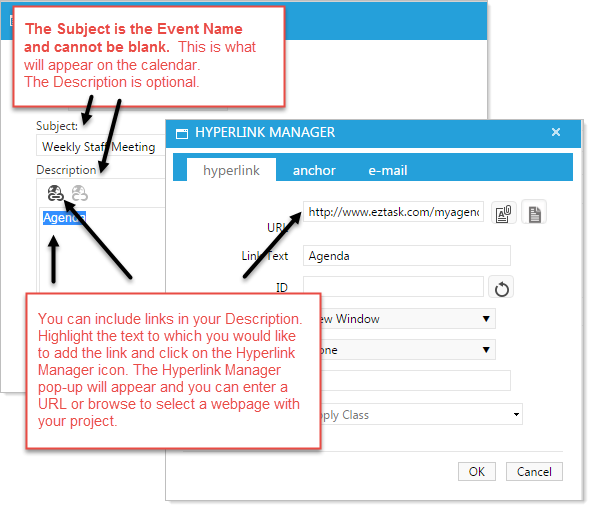
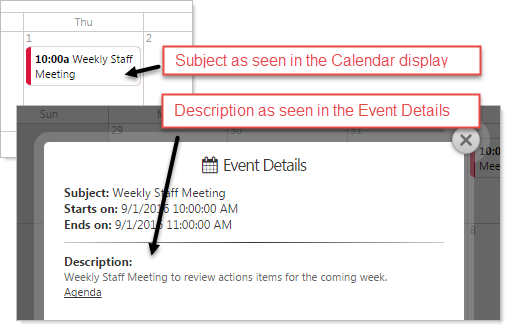
Events Subject and Description:
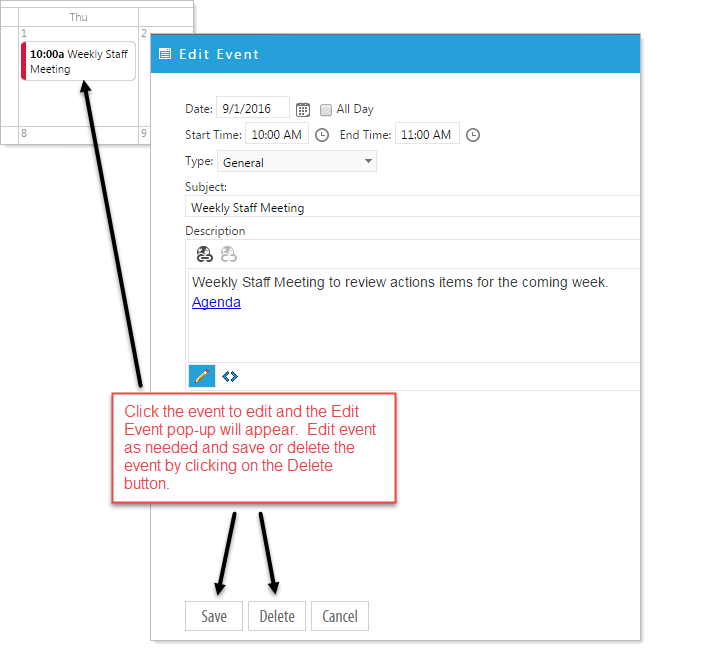
Edit or Delete an Event
Click on the date event you would like to edit. You must be in the software and in Design mode to edit an event.