You can secure individual files that are in the Document Manager by requiring a Username and Password to access the Document.
- Click on the 'manage documents' icon
 .
.
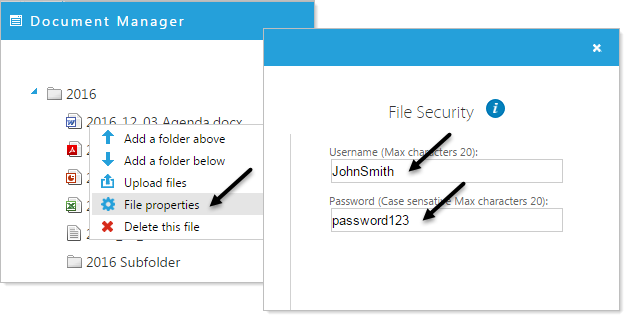
- Right click on the file you wish to secure.
- Click 'File properties'.
- On the right-hand side, under 'File Security', type a username and password (NOTE: Please use a more secure password than 'password123').
- Click 'Apply'
Click 'Save' to save your changes in the Document Manager window.
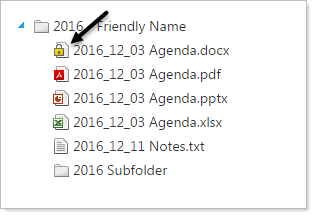
Now when you view the Document in the Document Manager and publicly the file will display with a secure icon.
On the published webpage, when the user clicks on secured file, a window will open, asking you for a username and password.