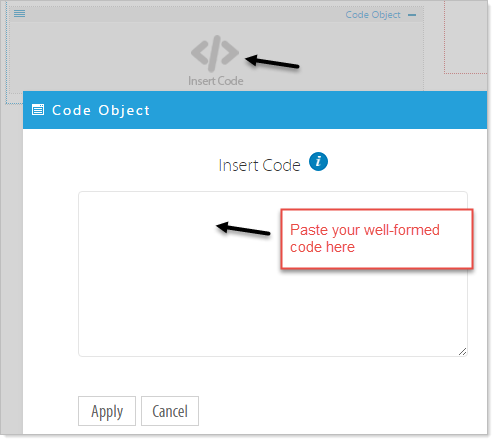
The code object is designed to accommodate code generated by: Facebook Feed, Twitter Feed, embedding video IFrames from Vimeo, YouTube, School Tube etc. or any widget on the Internet that offers embedded code objects.
NOTE: Paste only “well-formed” code into the Code Object Widget, and the object will render on the webpage when previewing and in the published page.
Add a Code Object Widget. Click on the Code Object Widget and drag it to the desired location.
You will see the widget with an Insert Code label in the location. Click on on the Inset Code and Paste your code into the widget and click Apply to save the widget.