We have an image.
We want the image to link to a website: https://www.eztaskcom

- Click on the 'Image Properties' icon
 .
.
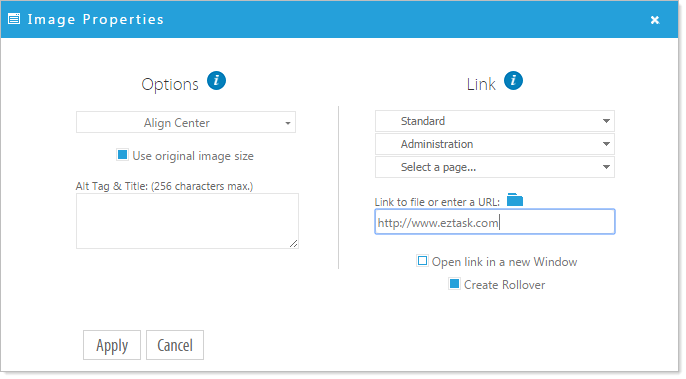
- Paste or type the link in the 'Link to file or enter a URL' field.
- If you would like there to be a rollover, select 'Create Rollover'. This "zooms" the image when it is hovered over. Now click 'Apply'
Now, when you preview the page, you can click on the image and it will take you to the ezTask website.