There are instances when you may want to include information from another calendar into THIS calendar. A good example of this is in Education where a School District includes events from one or all of the campus websites in a District Master Calendar or in Local Municipalities when a city includes a separate department calendar (like a Police Department calendar) in the City Master Calendar. The department or campus is able to maintain a separate calendar but also include events on a master calendar.
Adding an iCal feed link. This merges another calendar with THIS current calendar.
- Click on the 'Links for iCal' icon
 .
.
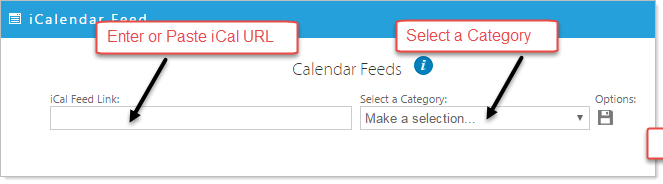
- Enter/Paste into the 'iCal Feed Link' the iCal URL copied from another application or from another Titanium Calendar.
- Select a Category. (You must first create a Category in the Calendar Properties to select one covered in the previous help section, Adding and Modifying Categories.
- Click on the floppy disk
 icon to save changes and add a new record for an additional iCal link.
PLEASE NOTE: If your calendar includes too many iCal aggregates it many slow the display response time.