Mega Menu
Mega menus are designed for large sites with numerous web pages. It is a drop down interface that is triggered by the user hovering over a main navigation tag and shows all options in one main,mega-panel and oftentimes groups related topics into categories. (MegaMenus are an optional feature of Titanium)
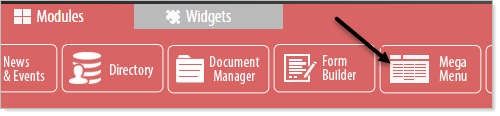
To begin click and drag the MegaMenu module to the desired area. Note that your MegaMenu may only be styled to function in certain areas of the webpage.
Tips for planning a Mega Menu
- Group like items together based on where you think users may look for them. Does a link to your training courses live in the Services category or the Support category? Think about your users’ view of the world – or better yet, survey them – to understand how your audience would look for training, before deciding where it goes.
- Avoid overdoing the mega-menu by grouping too many things together. If it requires substantial time for a user to read through the options, you’ve lost all benefit of a mega-menu. Simple is always better.
- Be succinct in how you label items, but add short descriptions if needed. Avoid internal terms that new prospects won’t understand, so as not to confuse your audience.
- Don’t “kitchen sink” it – just because something can go in the mega-menu doesn’t mean it should. If it’s ancillary to the category, it shouldn’t be there. So for example, a “featured case study” promotion should not be in the Support mega-menu. It will be regarded by your task-oriented web visitor as an annoying distraction.