Add a Mega Menu Item
Click on the 'Edit this Menu' icon 
A new Mega Menu will begin with one entry called Menu, as seen here.
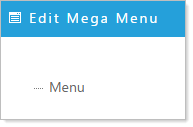
Right click on Menu and you will see the standard options for Adding or Editing a menu.
You can add a new menu item above, below, or as submenu. Any of these selections will invoke the Add New Mega Menu Item window. Complete the form selecting a link for that menu item and click 'Apply' to save.
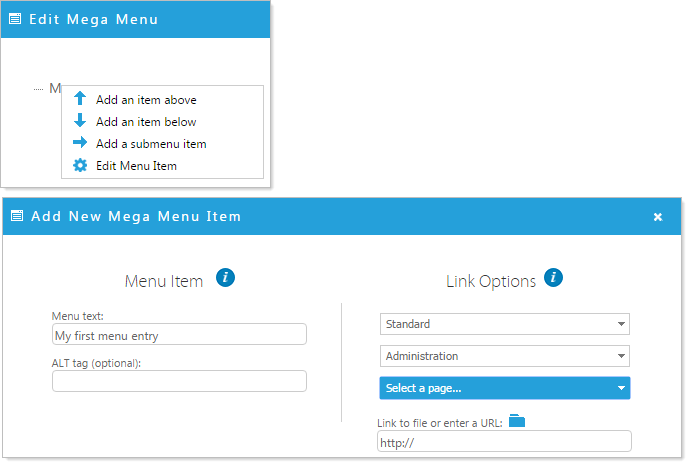
Edit a Mega Menu Item
Right click on the item you would like to edit and select Edit Menu Item. Complete the Edit Mega Menu Item form and click 'Apply' to save the menu item.
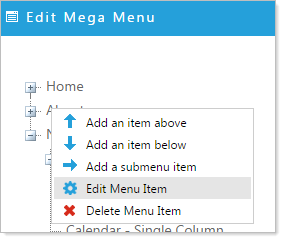
Delete Mega Menu Item
Right click on the item you would like to delete. Select Delete Menu Item and OK the delete confirmation.