Editing a Simple Directory
You can edit/change single entries from the Titanium interface in Design mode.
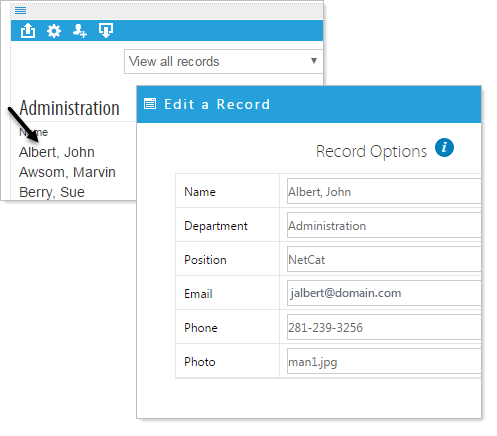
Click on the first entry for the record you would like to edit and an Edit a Record pop-up will appear. Change the record as desired and click on Apply to save the record.
Add a Record to the Directory
Suppose we want to add 'John Smith' to our directory.
- Click on the 'Add a record' icon
 .
.
- Fill in the Record Options with the information pertaining to the new record, click 'Apply'
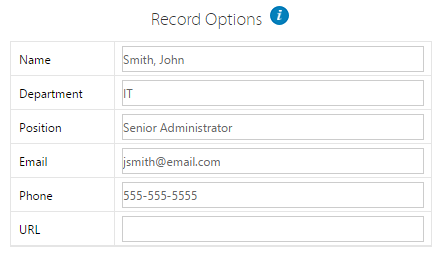
The new record will exist in the directory, which is viewable in the page builder.

Edit a Record in the Directory
Suppose we want to change 'John Smith' to 'Jonathan Smith'.
- Click on the first column of the row to be edited. (In this demo, it is the 'Name' column, and we click on 'John Smith').
- Make desired changes to the Record Options, click 'Apply'.
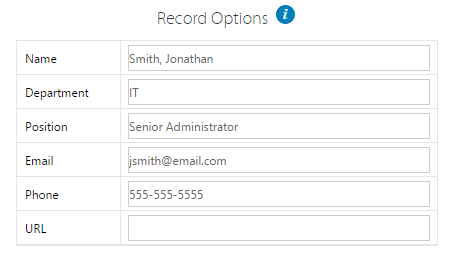
The modified directory is viewable in the page builder.
